Anonymize Across Microsoft Office
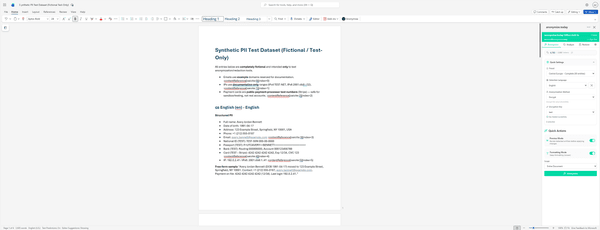
Work where you already are. Our native Office Add-in brings PII detection and anonymization directly into Word, Excel, and PowerPoint.
pages.officeAddin.carousel.documentOverview
1 / 13
Supported Applications
Microsoft Word
Anonymize contracts, reports, letters, and any text documents while preserving formatting.
Microsoft Excel
Protect PII in spreadsheets, datasets, and financial reports across cells and sheets.
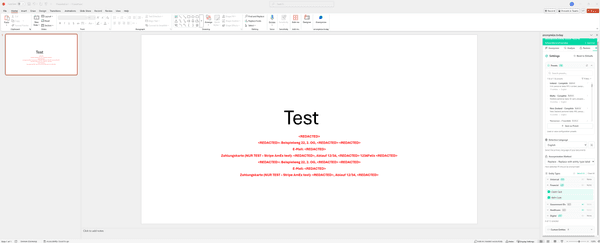
Microsoft PowerPoint
Anonymize presentations and slide decks before sharing with external parties.
Key Benefits
Work In-Place
No copy-paste needed. Anonymize directly in your Office documents without switching apps.
Formatting Options
Choose between speed mode for fast processing or formatting mode to preserve fonts, styles, and colors in Word.
Secure Processing
Your documents never leave your control. Processing happens securely via our encrypted API.
Key Features
27 Languages
Full support for documents in 27 languages with automatic language detection.
256 Entity Types
Detect names, emails, IDs, financial data, and 250+ other PII types across 30+ countries.
5 Anonymization Methods
Replace, mask, redact, hash, or encrypt—choose the right protection for each entity type.
Reversible Encryption
Encrypt data with AES-256 and restore it later when authorized. Perfect for test environments.
Detection & Anonymization
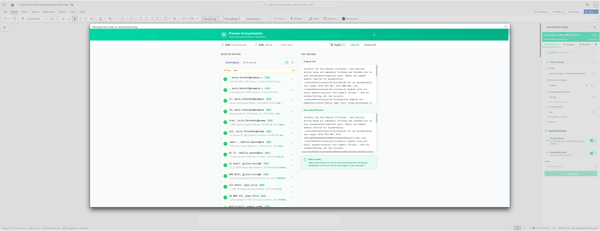
PII Detection
- Real-time PII highlighting as you work
- Supports 256 entity types (names, emails, phones, IDs, etc.)
- Multi-language detection (27 languages)
- Custom entity recognition for your specific needs
Anonymization Options
- One-click anonymization of selected content or entire document
- Per-entity method configuration (different methods per entity type)
- Preview mode to review before applying changes
- Undo/redo support for all anonymization operations
System Requirements
Compatible with all modern versions of Microsoft Office.
Supported Platforms
- • Microsoft Office 2016 or newer (Windows)
- • Microsoft Office 2016 or newer (Mac)
- • Office Online (Word, Excel, PowerPoint)
- • Microsoft 365 (all plans)
- • Office for iPad/iPhone
What You Need
- • anonymize.today account (free or paid)
- • Internet connection for API access
- • Microsoft 365 subscription or standalone Office license
Quick Install
Install the add-in directly in Microsoft Office using the manifest URL.
Installation Steps
- Open Microsoft Word, Excel, or PowerPoint
- Go to Insert → Add-ins → My Add-ins → Upload My Add-in
- Paste the manifest URL above and click OK
Note: IT administrators can also deploy the add-in organization-wide via the Microsoft 365 Admin Center.
Get Started with Office Add-in
Free for all plans. Works with Word, Excel, and PowerPoint.